Change a photo's background color on your Mac, a whole folder at a time
To change the background colour of a photo, cut out the subject and place it on a solid colour. Sweepcut does that for a whole folder on your Mac: add the photos, choose White, Light grey, Black or a custom colour, then export. Filenames are kept, originals are not overwritten, and photos are processed on your Mac.
One limit, up front: Sweepcut fills the background with a single solid colour or leaves it transparent. It does not put your photo on a new scene, gradient or generated background.
One photo, cut out on white
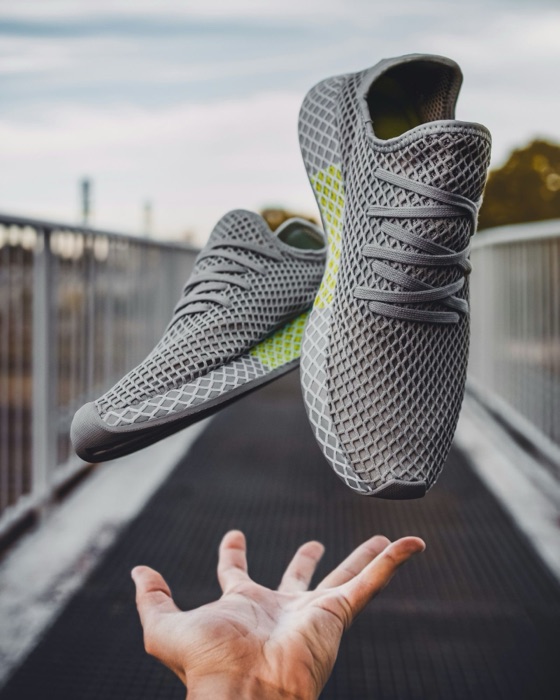
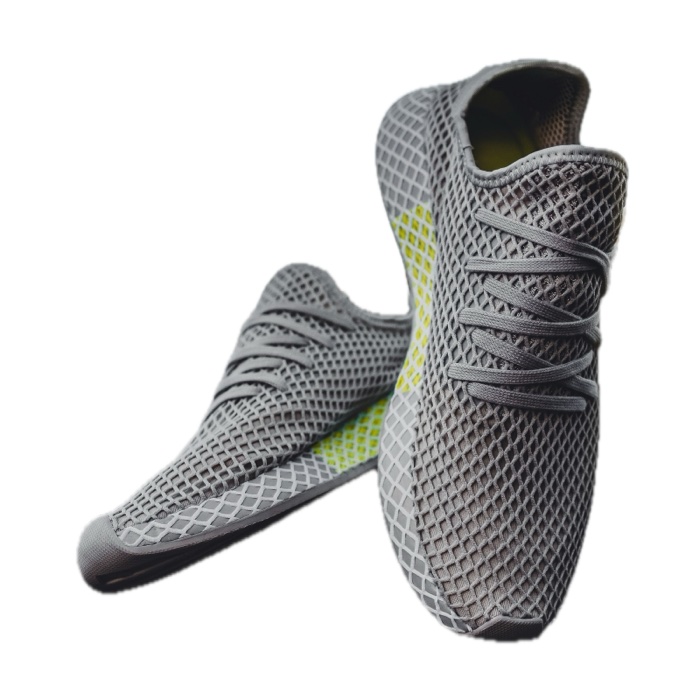
The original and white result are from the same source photo; the real 1600 × 1600 export is resized for this page. Light grey, Black and Custom are also available as solid fills.
Change a photo background colour in three steps
- 1
Add photos or a folder
Drop in the photos or a folder. Sweepcut finds images in subfolders and processes them on your Mac.
- 2
Choose a colour and size
Choose White, Light grey, Black or Custom. Then pick the original size, a marketplace preset or a custom size up to 8000 × 8000 pixels.
- 3
Export the photos
Export the images to a Cutouts folder by default. Filenames are kept and the original photos are not overwritten.
White, light grey, black or a custom colour
The background choice changes the flat colour behind the cut-out, not the scene, lighting or setting around the subject.
| Choice | What it does | Good to know |
|---|---|---|
| White | Pure white solid background | For marketplace photos, see the white-background guide. |
| Light grey | A soft neutral background | The configured value is 0.96 per RGB channel (about 245, 245, 245); the pixel value has not been checked from a fresh export. |
| Black | A dark solid background | Can suit jewellery, glass and luminous products. Check pale hair or edges against the dark fill. |
| Custom | A solid colour from the macOS colour picker | Useful for a brand colour. The picker has no opacity control. |
| Transparent | Leaves the background see-through | Choose a format that supports transparency, such as PNG. See the transparent PNG guide. |
The Light grey figure is calculated from the app's configured 0.96-per-channel value. It is approximate until confirmed by reading pixels from a new export.
A solid fill, not a new scene
Sweepcut cuts out the subject and places it against one solid colour, or leaves the background transparent. It does not add a room, landscape or other photo; create a gradient or texture; blur the old background; or generate a new backdrop.
If you want a different scene or an image behind the subject, use an editor designed for background replacement. If you want a plain colour behind a photo or a folder of product shots, this guide covers that workflow.
For flat graphics such as a logo on a plain colour, see the logo background guide. Sweepcut's Colour key method removes a plain background from a graphic; it is separate from choosing a colour behind a photo.
Use different colours for individual photos
Choose one shared colour for the batch, or select a photo and switch Working On to This Image to give it its own background and export settings. The other photos keep their shared settings. Export the individual image from that mode, or switch back to all images for the rest of the batch.
Soft edges can need a closer look too. The Feather control softens the cut-out edge from 0 to 20 pixels; review hair, fur and fabric at full size before using the result.
Solid colour or transparency depends on the format
JPEG cannot store transparency, so it always has a solid background. PNG, HEIC, AVIF and TIFF can store transparency; AVIF is offered only on Macs that can write it. A solid colour can be used with any of these formats.
The Etsy, Amazon and eBay presets choose a white JPEG by default, though you can change the background. For platform-specific image rules, read the guides to Etsy, Amazon, Shopify and eBay.
Preview can remove a background
For one photo, Apple's Preview guide explains how to remove the background and keep or convert the original file. It does not document a colour-fill step; if you need a solid-colour file from Preview, use an image editor to place the cut-out on that colour. The guide was checked on 28 October 2026. See Sweepcut vs Preview for the broader comparison.
For a whole folder, Sweepcut combines background removal, a solid fill, sizing and export on your Mac. Photos are processed locally and are not uploaded.
Source: Apple Support: Remove a background or extract an image in Preview on Mac.
Background colour questions
How do I change the background color of a photo on a Mac?
Cut out the subject, then place it on a solid colour. In Sweepcut, add a photo or folder, choose White, Light grey, Black or Custom, select a size and export.
Can I change the background color of many photos at once?
Yes. Add a folder and Sweepcut finds images in subfolders too. Choose a shared colour for the batch, or give an individual image its own settings.
Can I use any background colour?
Custom opens the macOS colour picker for a solid colour. It has no opacity setting, and Sweepcut does not add gradients, patterns or scenes.
Can I put my photo on a different scene or background image?
No. Sweepcut fills the background with one solid colour or leaves it transparent. It does not insert a scene, gradient or new background photo.
How do I make a photo background black?
Choose Black in the Background controls. Check the cut-out edge before exporting: a pale fringe can be more visible against a dark fill.
Can I make the background transparent instead?
Yes. Choose Transparent and an alpha-capable format such as PNG. See the guide to making a transparent PNG on Mac.
Will Sweepcut overwrite my original photos?
No. Exports go to a Cutouts folder by default, with the original filenames. Existing files are not overwritten.
Which Macs does Sweepcut run on?
Sweepcut needs macOS 14 Sonoma or later. It is built for Apple Silicon and runs more slowly on Intel Macs.
Your whole folder, on the colour you choose.
Secure payment by Gumroad · macOS 14 Sonoma or later · Apple Silicon recommended · Back to Sweepcut