eBay listing photos, sized automatically
eBay recommends photos of about 1600 × 1600 pixels, with a minimum of 500 pixels, up to 12MB each. White backgrounds generally work best, and added borders, text and watermarks aren't allowed. Sweepcut's eBay preset exports a whole folder at 1600 × 1600 on white.
eBay picture requirements
From eBay's help pages on adding pictures and its picture policy.
| Recommended size | About 1600 × 1600 pixels |
|---|---|
| Minimum size | 500 pixels on the longest side |
| File size | Up to 12MB |
| File types | JPEG, PNG, GIF, TIFF, BMP, WEBP, HEIC or AVIF |
| Shape | 1:1 or 16:9 generally look best |
| Background | White is generally best. A darker background can suit shiny or reflective items |
| Not allowed | Added borders, added text or artwork, and watermarks of any kind |
Sources: Adding pictures to your listings and Picture policy, eBay Help. Checked on 22 October 2026.
What breaks eBay's picture rules
Borders and text. A frame, a "free shipping" banner or a shop watermark breaks eBay's picture policy.
Photos that are too small. Under 500 pixels on the longest side won't meet eBay's minimum, and small photos look soft when shoppers zoom.
Cluttered backgrounds. eBay recommends white for most items. A cut-out on white puts the attention on the product.
Pick the eBay preset, drop the folder
The eBay listing preset sets a 1600 × 1600 canvas with 3% padding, and switches the export to a white-background JPEG.
- 1
Drop in the folder
Every listing photo at once, subfolders included. Filenames are kept.
- 2
Pick eBay listing
1600 × 1600, 3% padding, white background, JPEG.
- 3
Export
Every photo is saved to a Cutouts folder, ready to upload.
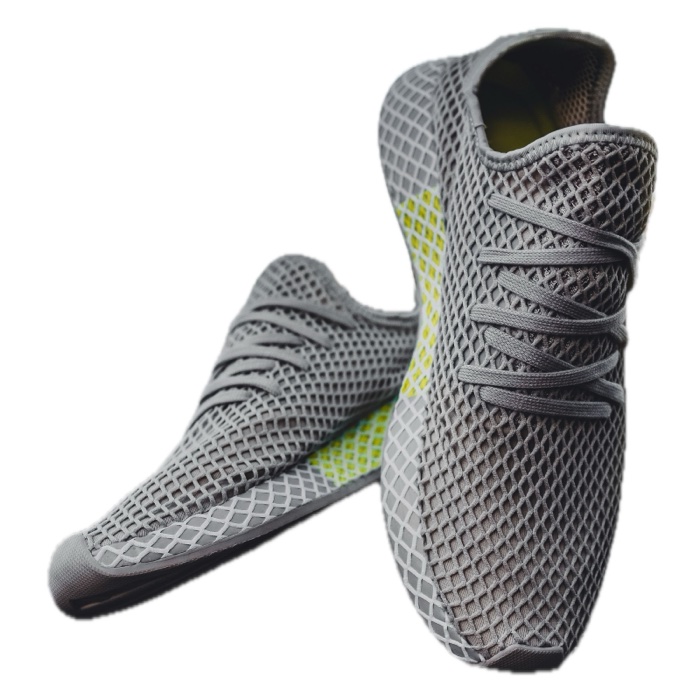
No added borders: the padding is plain white canvas around the product, not a frame, and Sweepcut adds no text or watermark.
Shiny items: eBay suggests a darker background can suit reflective products. Pick black or any colour instead of white.
Wide photos: for eBay's 16:9 shape, use Sweepcut's Wide banner preset (1920 × 1080).
Real export from Sweepcut of a full-resolution photo (3505 × 4381), resized for this page. See every preset on the home page.
eBay listing photos
What size should eBay photos be?
eBay recommends about 1600 × 1600 pixels. Photos must be at least 500 pixels on the longest side and no larger than 12MB.
Does eBay require a white background?
No, but eBay says white backgrounds are generally best, with a darker background for shiny or reflective items.
Are borders allowed on eBay photos?
No. eBay's picture policy doesn't allow added borders, added text or artwork, or watermarks. Sweepcut's padding is plain background, not a border.
Which Macs does Sweepcut run on?
Sweepcut needs macOS 14 Sonoma or later. It's built for Apple Silicon and runs more slowly on Intel Macs.
Your eBay photos, sized automatically.
Secure payment by Gumroad · macOS 14 Sonoma or later · Apple Silicon recommended · Back to Sweepcut