Make the background white on your photos, a whole folder at a time
To make a photo's background white, cut out the subject and place it on white. That gives you a white background photo for a listing, catalogue or profile. Most tools do one photo at a time. Sweepcut does a whole folder on your Mac: drop it in, choose White and export. The white-background exports use RGB 255, 255, 255, keep the original filenames, and nothing is uploaded.
Photo to white background
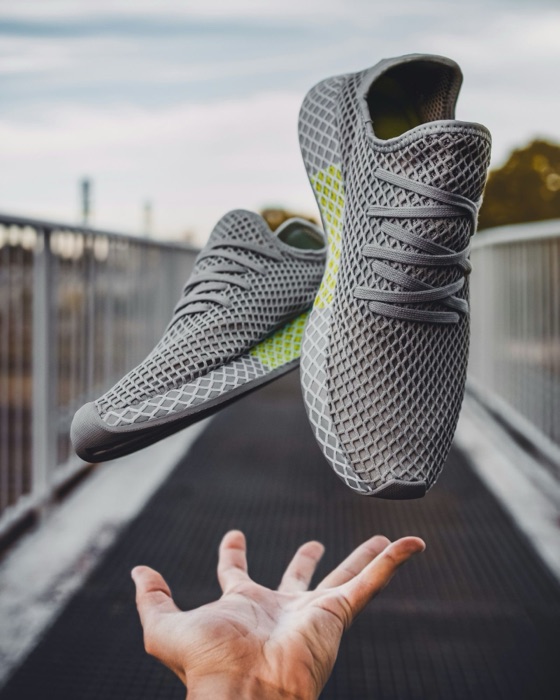
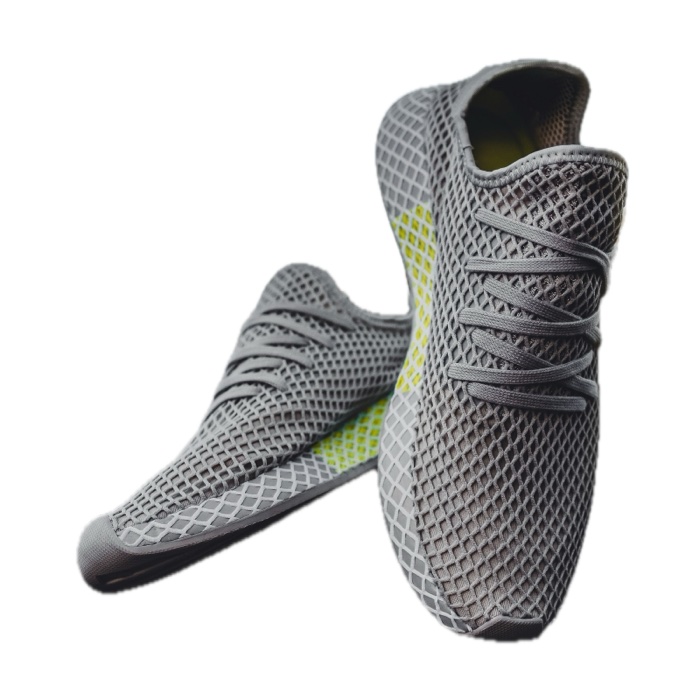
Real Sweepcut output. The source photo is 560 × 700 in this page asset; the verified Amazon export is 700 × 700 here, resized from its 1600 × 1600 export.
Make a photo's background white in three steps
- 1
Drop in photos or a folder
Sweepcut finds every image inside, including in subfolders. Each background is removed on your Mac.
- 2
Choose White and a size
Pick the original size, a marketplace preset or a custom size up to 8000 × 8000 pixels. JPEG is a common format for photos on white.
- 3
Export
Each photo is saved to a Cutouts folder with its original filename, so the source is never overwritten.
Pure white, not nearly white
A studio backdrop or sheet of paper that looks white can be light grey in the image file, with shadows or a colour cast. Sweepcut removes the background and puts the subject on white instead of trying to brighten the old backdrop.
The corner pixels in the available Amazon and Etsy white-JPEG export samples read exactly RGB 255, 255, 255. Amazon requires a pure white background for its main image. See the Amazon main image requirements.
If you want to make the selection and mask yourself, follow the Photoshop background removal guide for photos and logos on white.
White background product photos for every marketplace
Choose a marketplace preset for a matching canvas and product framing. Etsy, Amazon and eBay presets switch to a white JPEG. Shopify keeps the background you choose, so pick White if you want a white Shopify export.
| Preset | Canvas size | Space around subject | Guide |
|---|---|---|---|
| Etsy listing | 2000 × 2000 | 4% per side | Etsy product photo size |
| Amazon main image | 1600 × 1600 | 7.5% per side (85% fill) | Amazon main image requirements |
| Shopify product | 2048 × 2048 | 4% per side | Shopify product image size |
| eBay listing | 1600 × 1600 | 3% per side | eBay photo requirements |
Why white matters: Etsy shows transparent areas of a PNG as black, and Amazon requires a pure white background for its main image. If a small photo needs enlarging to fill a preset, Sweepcut labels the upscaling factor.
Selling across platforms? Compare the current product image sizes and background rules.
Not just white
White is one option. Choose light grey, black or a custom solid colour, or export a transparent PNG instead. See how to make a transparent PNG on Mac.
Sweepcut uses solid colours. It does not replace the background with a photo scene, gradient or blur. For logos and flat graphics on a solid background, see the logo background guide.
When a cut-out needs a different approach
No subject detected: Apple's subject detection needs a clear subject. If it cannot find one, Sweepcut flags the photo as “No subject detected” instead of exporting it unchanged.
Logos and flat graphics: use Sweepcut's Colour key method for graphics on a plain colour. See how to remove a background from a logo.
Soft edges: hair, fur and fabric can need careful review after background removal. Check the result at full size before using it in a product listing.
Make photo backgrounds white on your Mac, not online
Sweepcut runs on your Mac. Your photos are processed locally and are not uploaded. Camera data and GPS location are removed from exports. After activation, it works with Wi-Fi turned off. It costs $19 once.
Using Photoroom for white backgrounds? See the Photoroom alternative for Mac.
remove.bg's standalone website is due to become unavailable on 1 December 2026. See what to do before the change and how to choose a replacement.
Preview can remove one background
For one image, macOS Preview can remove the background with Remove Background. To make a white-background photo, place the cut-out on a white canvas in an image editor. Sweepcut combines the cut-out and solid background, marketplace sizing and folder export. See Sweepcut vs Preview.
White background questions
How do I make the background of a photo white on a Mac?
Remove the background, then place the subject on white. In Sweepcut, add a photo or folder, choose White and export. Preview can remove the background from one photo; Sweepcut combines removal, a white background and batch export.
Is Sweepcut's white background pure white?
Yes. The available Amazon and Etsy white-JPEG export samples have corner pixels that read RGB 255, 255, 255. Amazon requires a pure white background for its main image.
Can I make the background white for a whole folder?
Yes. Add a folder and Sweepcut finds images in subfolders too. The exports use the original filenames and go into a Cutouts folder without overwriting the originals.
Can I use Sweepcut for passport photos?
Sweepcut is not built to meet passport photo rules. Head size, position and lighting requirements vary by country, and Sweepcut does not check them. Use a passport photo service or tool.
Can I use a black or coloured background instead?
Yes. Choose white, light grey, black or a custom solid colour, or choose transparent and export a PNG. See the guide to making a transparent PNG.
Which format should I use for photos on white?
JPEG is a common choice for marketplace and website photos on white because it does not need to preserve transparency. Choose PNG if you expect to edit the image again and want a lossless file.
Will Sweepcut overwrite my original photos?
No. Exports go to a Cutouts folder with the original filenames. The original photos are not changed.
Which Macs does Sweepcut run on?
Sweepcut needs macOS 14 Sonoma or later. It is built for Apple Silicon and runs more slowly on Intel Macs.
A whole folder, white and ready.
Secure payment by Gumroad · macOS 14 Sonoma or later · Apple Silicon recommended · Back to Sweepcut