Remove backgrounds without Canva Pro.
Canva's Background Remover only comes with a paid plan, and it works on 50 images at a time. Sweepcut cuts out a whole folder on your Mac for $19 once. Then upload the transparent PNGs to Canva, on any plan, and design as usual.
Why people look for a Canva background remover alternative
It needs a paid plan. Canva's Background Remover is included with paid plans only. Canva Pro is €110 a year for one person.
Folders are capped at 50 images. A folder with more than 50 images can't use Background Remover, and you can only do one folder at a time.
Big photos are limited. It only works on photos under 9MB, and anything over 10 megapixels is downscaled to 10MP.
Your photos are uploaded. Only uploaded images are processed, and it needs an internet connection.
Sweepcut vs Canva's Background Remover
| Sweepcut | Canva | |
|---|---|---|
| Where photos are processed | On your Mac. Never uploaded | Canva's servers, after you upload them |
| Price | $19 once | Paid plans only. Pro €110 a year |
| Batch size | A whole folder, subfolders included, up to 20,000 images | Up to 50 images per folder, one folder at a time |
| Image size | Full resolution (tested up to 49 MP) | Photos under 9MB; results over 10MP are downscaled to 10MP |
| Marketplace sizes | Etsy, Shopify, Amazon, eBay and 5 more, plus custom | Custom design sizes |
| Filenames | Your original names, in a Cutouts folder | Edited copies in a new Canva folder |
| Internet | Once, to activate | Required |
Canva details from Remove photo and video backgrounds, Canva Help Center, and the Pro price as shown in euros on canva.com/pricing. Both read on 22 October 2026.
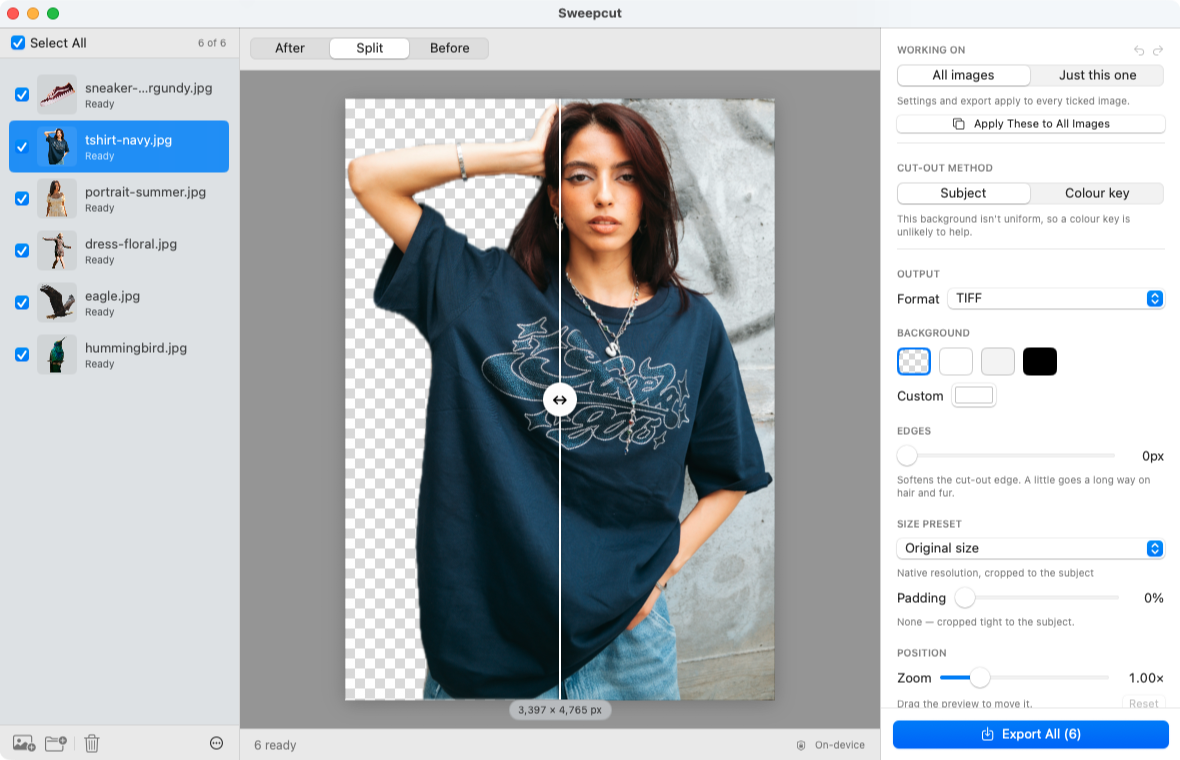
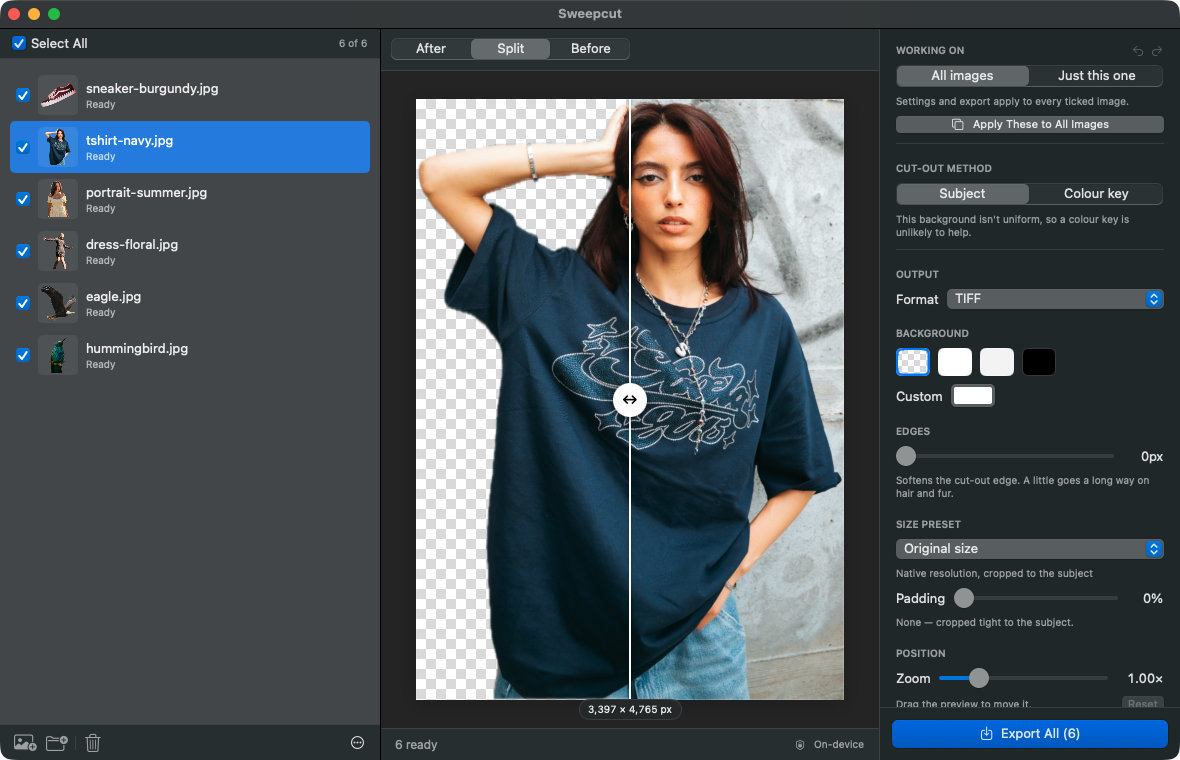
Cut out in Sweepcut, design in Canva
You don't have to choose. Drop the folder into Sweepcut, export transparent PNGs at full size or at the size your design needs, then upload them to Canva. Canva Free includes 5GB of storage for your uploads, so a free account is enough to place them in designs.
Your filenames stay the same, so finding SKU-4471.png in Canva's uploads is easy.
Canva Pro or Sweepcut?
Stay with Canva Pro if you already pay for it for templates and design tools, and you remove backgrounds from a few images at a time inside your designs.
Use Sweepcut if you have folders of product photos, need marketplace sizes, want full-resolution cut-outs, or don't want a subscription. remove.bg users being moved to Canva can read our remove.bg page.
Nothing leaves your Mac
Sweepcut processes every photo 100% on your Mac, inside the macOS sandbox. Your photos are never uploaded, camera data and GPS location are removed from every export, and there's no account to create. Once activated, it works with Wi-Fi turned off.
Canva and background removal
Can I remove backgrounds in Canva for free?
Not with Canva's own Background Remover, which is included with paid plans only. You can cut out photos elsewhere, such as in Sweepcut, and upload the transparent PNGs to a free Canva account.
How many images can Canva remove backgrounds from at once?
Canva's help centre says folders with more than 50 images can't use Background Remover, and you can only process one folder at a time.
Does Canva reduce image quality?
Canva says any uploaded photo over 10 megapixels is downscaled to 10MP after its background is removed, and the tool only works on photos under 9MB.
Can I use Sweepcut's cut-outs in Canva?
Yes. Export transparent PNGs from Sweepcut and upload them to Canva like any other image.
Which Macs does Sweepcut run on?
Sweepcut needs macOS 14 Sonoma or later. It's built for Apple Silicon and runs more slowly on Intel Macs.
Your catalog, cut out this afternoon.
Secure payment by Gumroad · macOS 14 Sonoma or later · Apple Silicon recommended · Back to Sweepcut