Etsy product photo size, done for you
Etsy recommends listing photos at least 2000 pixels wide and tall, and the first photo at least 635 pixels. Save them as JPEG or PNG without transparency, because Etsy shows transparent areas as black, and keep files under about 1MB so they finish uploading. Sweepcut's Etsy preset exports a whole folder that way: 2000 × 2000 JPEGs on white.
Etsy listing photo requirements
From Etsy's own help page. These are the rules that change how a photo looks on your listing.
| Size | At least 2000 pixels wide and tall recommended |
|---|---|
| First photo minimum | At least 635 pixels wide and tall, or it may show lower in search |
| File types | JPG, GIF, PNG, SVG or HEIC |
| Transparency | Not supported. Transparent parts of a PNG appear black on Etsy |
| File size | Over 1MB may not finish uploading, especially on a slow connection |
| Colour | Etsy converts images to sRGB, so convert first if colours look wrong |
| Shape | First photo landscape or square. Thumbnails are cropped to square, portrait and landscape, so leave a border around the product |
Source: Requirements and Best Practices for Images in Your Etsy Shop, Etsy Help. Checked on 22 October 2026.
What goes wrong on Etsy
Uploading a transparent PNG. A cut-out that looks clean on your Mac shows on a black background on Etsy. Put the product on white, or any solid colour, before uploading.
Huge files. A 2000 × 2000 PNG of a photo is usually several megabytes. A JPEG of the same image is far smaller.
Cropping too tight. Etsy crops thumbnails to different shapes, so a product that fills the whole square can lose its top or sides in search results.
Enlarging small photos. Etsy notes that making an image bigger can make it pixelated. A 2000-pixel file made from a 600-pixel photo has no more detail.
Pick the Etsy preset, drop the folder
The Etsy listing preset sets a 2000 × 2000 canvas with 4% padding on every side, and switches the export to a white-background JPEG.
- 1
Drop in the folder
Every product photo at once, subfolders included. Filenames are kept.
- 2
Pick Etsy listing
2000 × 2000, 4% padding, white background, JPEG. Change any of them if you need to.
- 3
Export
Every photo is saved to a Cutouts folder, ready to upload.
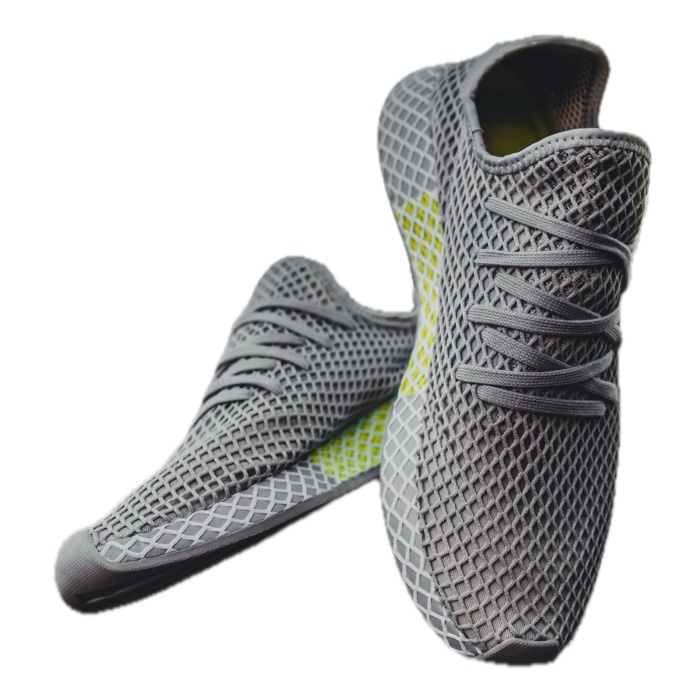
File size: Etsy-preset JPEGs from nine full-resolution photos (7 to 49 MP) came out between 0.24 and 0.85MB at the default 92% quality, under Etsy's 1MB guidance.
Thumbnails: for a tall or wide product, raise the padding so Etsy's crops don't cut it off. Sweepcut also labels any image that had to be enlarged to fill the canvas, so you know which photos to reshoot.
Real export from Sweepcut of a full-resolution photo (3505 × 4381), resized for this page. See every preset on the home page.
Etsy photo size
What size should Etsy listing photos be?
Etsy recommends at least 2000 pixels wide and tall, with the first photo at least 635 pixels. A 2000 × 2000 square meets both and works as a first photo.
Why does my transparent PNG look black on Etsy?
Etsy doesn't support transparent PNGs. It shows the transparent parts as black. Export the cut-out on a white or solid-colour background instead.
Does Sweepcut's Etsy preset use a white background?
Yes. Choosing Etsy listing switches the export to a white-background JPEG. You can still pick another colour, and Sweepcut warns you if you set it back to transparent.
Are Sweepcut's Etsy files under 1MB?
In our test, yes: nine full-resolution photos gave Etsy JPEGs between 0.24 and 0.85MB. Very detailed photos could be larger, so lower the quality slider if one goes over.
Which Macs does Sweepcut run on?
Sweepcut needs macOS 14 Sonoma or later. It's built for Apple Silicon and runs more slowly on Intel Macs.
Your Etsy photos, sized this afternoon.
Secure payment by Gumroad · macOS 14 Sonoma or later · Apple Silicon recommended · Back to Sweepcut